Tests
How agents test a delivery, which kinds of test count, and how results reach you as evidence tied to the code they ran on.
A delivery’s tests are the checks its agent runs to show the outcome works. The agent runs them with the tools your project already uses and records each result in Blume as evidence. Blume does not run the tests.
A result counts only for the revision it ran on. When the code changes, the tests run again.
Kinds of test
The plan gives each acceptance check a type, and only evidence of that type can meet it.
| Type | What it is |
|---|---|
| Unit tests | The project’s own unit tests, from the test runner’s report. |
| Integration tests | The project’s own integration tests, recorded the same way. |
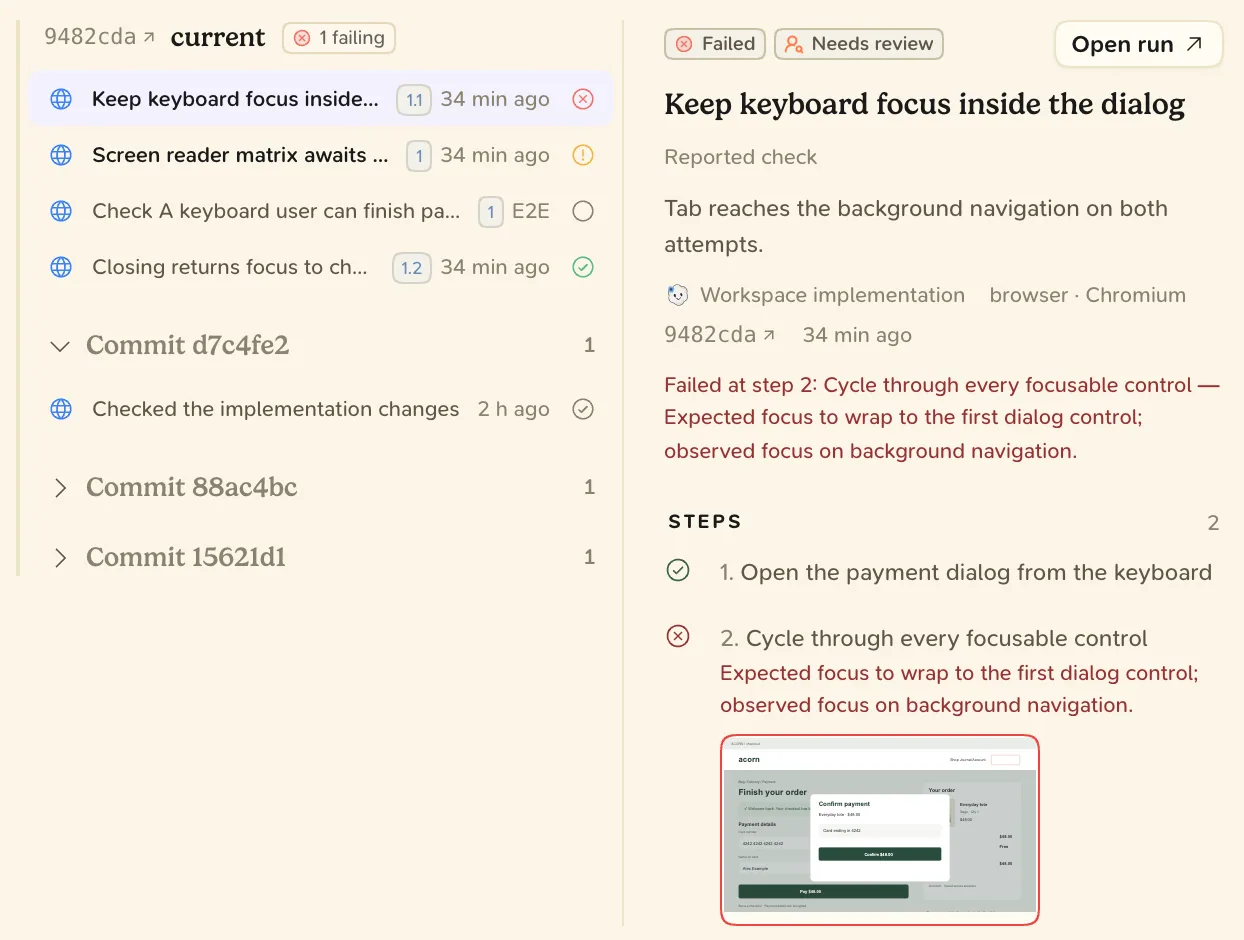
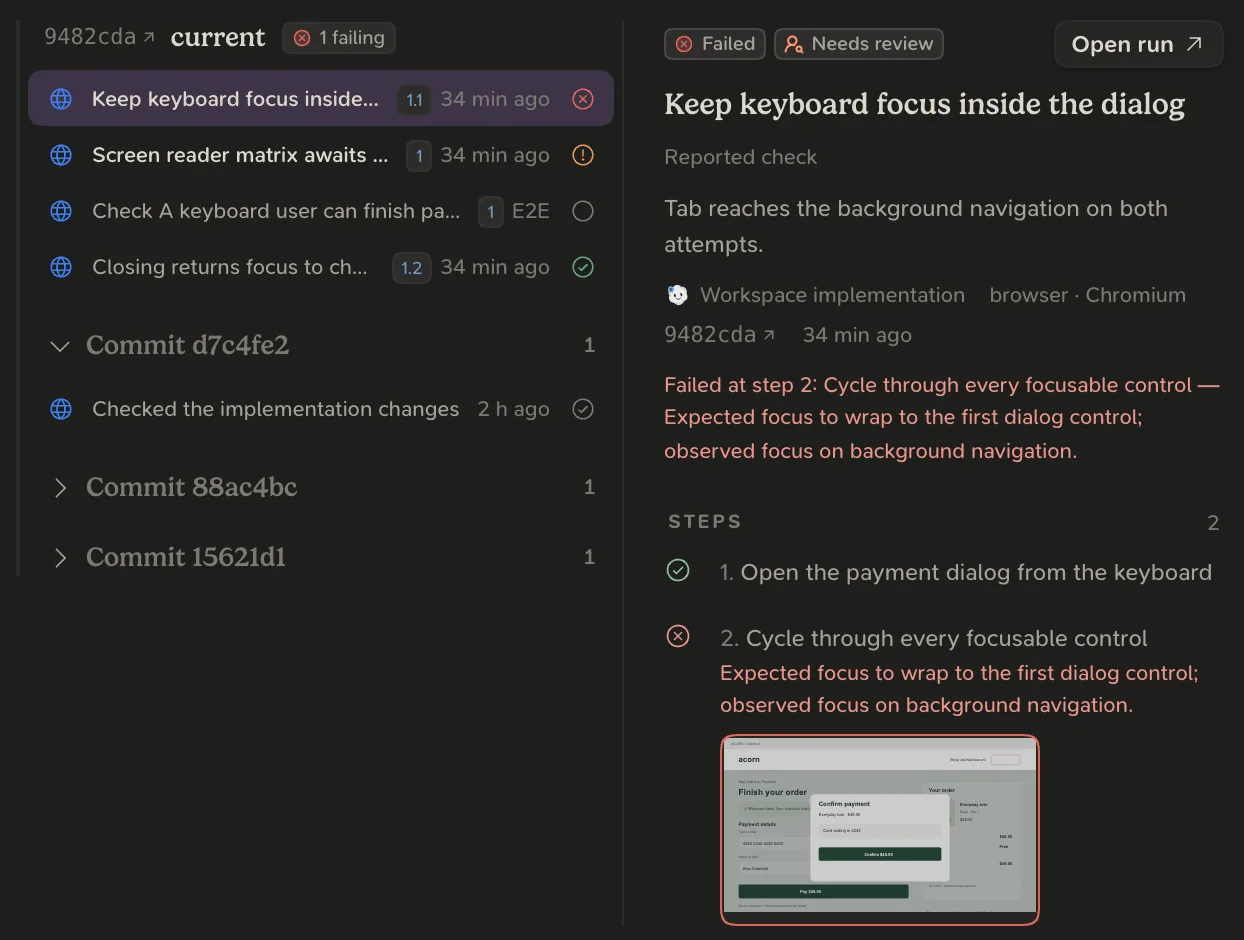
| End-to-end | A check of the running app from the outside, with its steps and screenshots. |
| Manual check | A check made by hand, by the agent or by you, with notes. |
| Agent evaluation | An evaluation of prompts, models or agent behaviour, each metric with its threshold. |
| Custom evidence | A result no other type fits, such as a load test. |
How it runs
- In Plan, the agent writes the acceptance checks, each with its test type.
- In Build and Test, it writes the tests and runs them against the current code.
- For unit and integration tests, the plugin uploads the runner’s JUnit XML or CTRF JSON report. For an end-to-end check, the agent records its steps and a screenshot of each.
- Before asking for an outcome review, the agent commits the finished code and runs the final checks on that commit.
Test ends when every acceptance check has passing evidence of its type at the current code. If a test fails, the delivery goes back to Build for the fix, then to Test again.
Checks on a pull request are read from GitHub and shown in the merge review. They do not meet an acceptance check unless the agent records their result as evidence.
See the tests
Open the delivery and choose the Evidence tab. Evidence is grouped by revision, newest first, with failures at the top. The Plan tab lists each acceptance check with its test type and whether it is met.