
Phases
Start, Plan, Build, Test, Review, Release and Done. What each phase is for, what ends it, and why the phase follows where the work really is.
A delivery’s phase says where its work is right now. You see it as the badge in the delivery’s header, in the Deliveries list, and as history on the Phases tab.
- StartAgree on the outcome
- PlanSpec, tasks, acceptance checks
- BuildImplement the plan
- TestRun the checks, record evidence
- ReviewOutcome, then merge
- ReleaseEach application goes live
- DoneLive and verified
| Phase | Ends when |
|---|---|
| Start | The outcome is agreed. |
| Plan | The plan is set. |
| Build | The work is built. |
| Test | The delivery’s checks pass. |
| Review · Outcome review | The result is accepted. |
| Review · Merge review | Every pull request is merged. |
| Release | Every application is live. |
| Done | The delivery is complete. |
The phase is a statement of fact, not a gate. Blume does not refuse a move because an earlier step was skipped. It moves the phase and records what was skipped on that visit. See Phases follow reality.
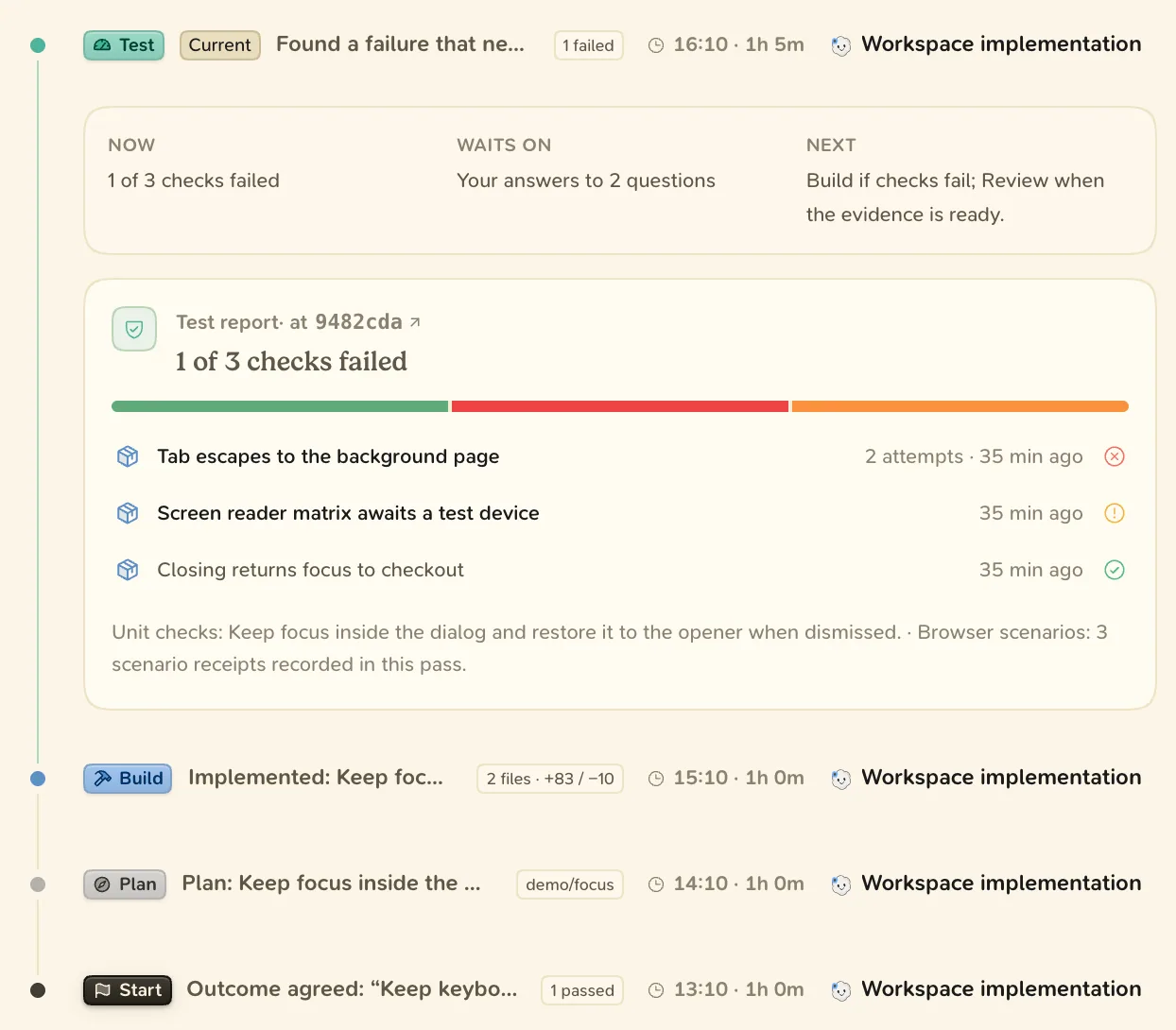
Going back
- A failed check that needs a product fix sends the delivery back to Build, then to Test again.
- Requesting changes in the outcome review returns the work to Build. The next round is a new revision.
- A plan change becomes a new plan version. The delivery stays in its phase.
How the phase moves
- The agent sets the phase at each milestone and after every commit or push.
- Blume moves a delivery forward when it observes the facts. With GitHub connected, merged pull requests move it to Release, and applications that carry the merged code move it to Done.
- You can set any phase: click the phase badge and choose one under Move this delivery to.
When Blume sees a fact that suggests the delivery has moved on, a Blume noticed bar appears. Choose Move to followed by the phase, or Not now.
Nothing moves a phase back on its own. A failing check after the merge shows as a note under Failing, and a missing approval as Not approved.
Read more: Outcome review, Merge review, Release