
Deliveries
A delivery is one outcome with its plan, tasks, agents, evidence and your decisions. How it starts, what its page shows and how it ends.
A delivery is the unit of work in Blume: one outcome and everything needed to trust that it was reached. It is not a branch, a pull request or a conversation, and it can span several of each.
We recommend one delivery per outcome, small enough to review in one sitting. See Outcomes, not output and Small deliveries.
How a delivery starts
Agents create deliveries. The app has no button for it.
- You ask a connected agent to build, change, fix or test something.
- The agent compares your request with the project’s open deliveries.
- If one matches, it resumes it. If several could match, it asks you. If none matches, it creates a delivery named after the outcome, in the Start phase.
The Deliveries list
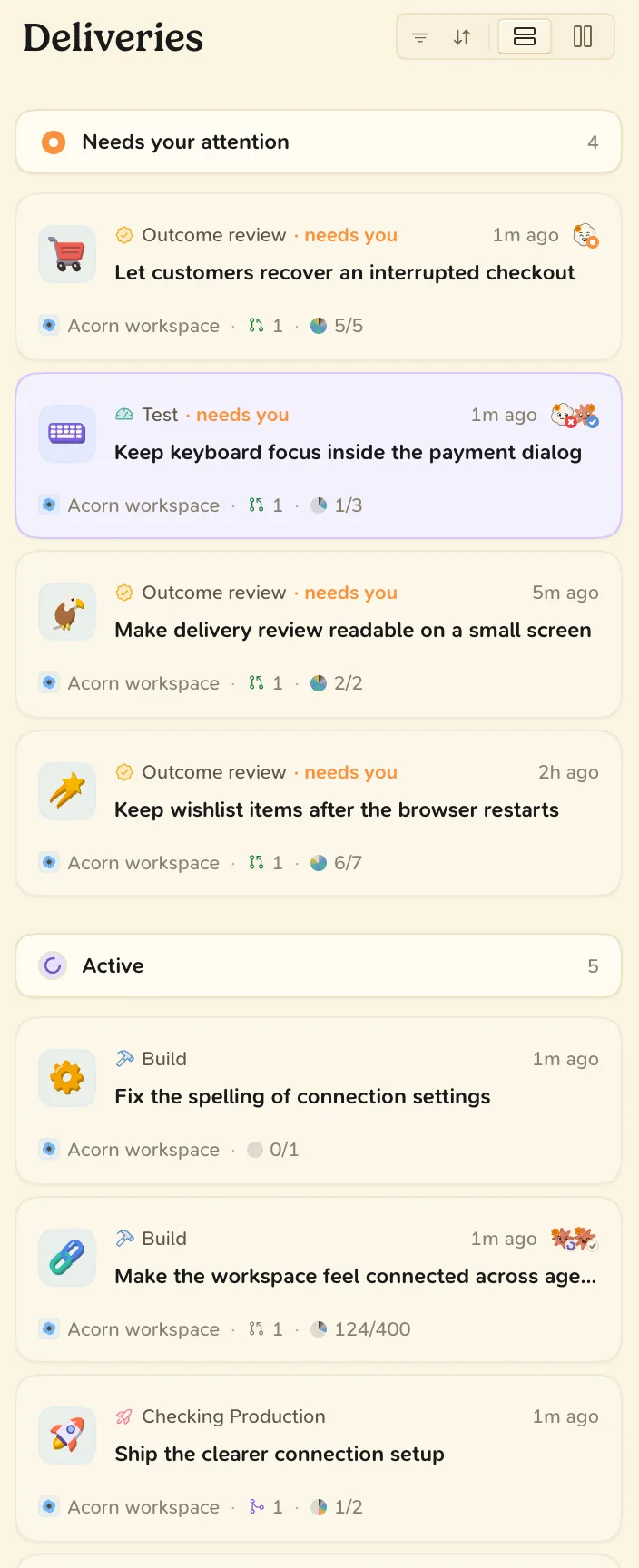
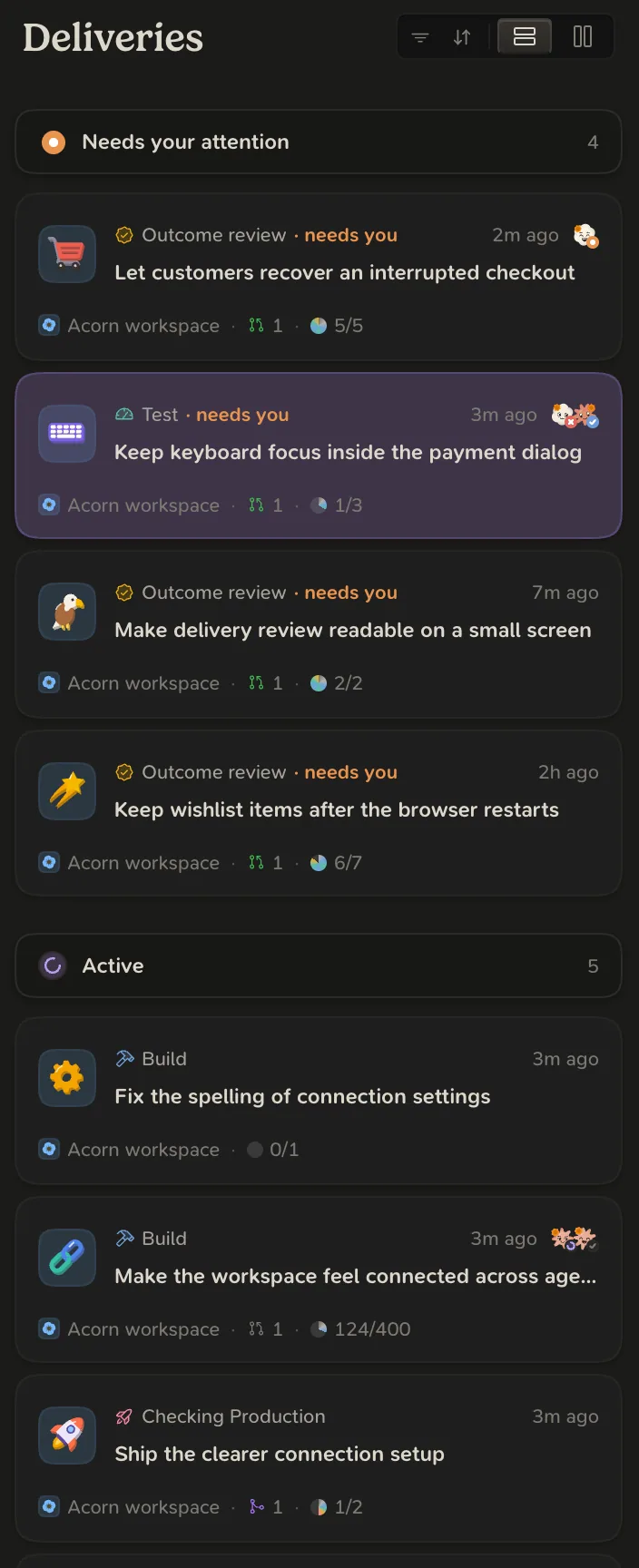
The list has four sections: NEEDS YOUR ATTENTION, ACTIVE, RECENT and ARCHIVED. When something waits on you, the page leads with These need your attention. See Questions and requests.
The delivery page
| View | Shows |
|---|---|
| Overview | What waits on you, then a summary box for each other view. |
| Phases | The phase history, newest first. |
| Timeline | Everything that happened. |
| Plan | The outcome, the plan’s facts and the spec. |
| PRs | The pull requests with their checks and reviews. |
| Evidence | The test runs and reported evidence at the current revision. |
| Revisions | Every revision sent for review. |
| Release | Each application’s release steps. |
On the Overview, Waiting on you shows the review that is due. Choose Review to open it. Also waiting on you lists the agents’ open questions, which you answer in place.
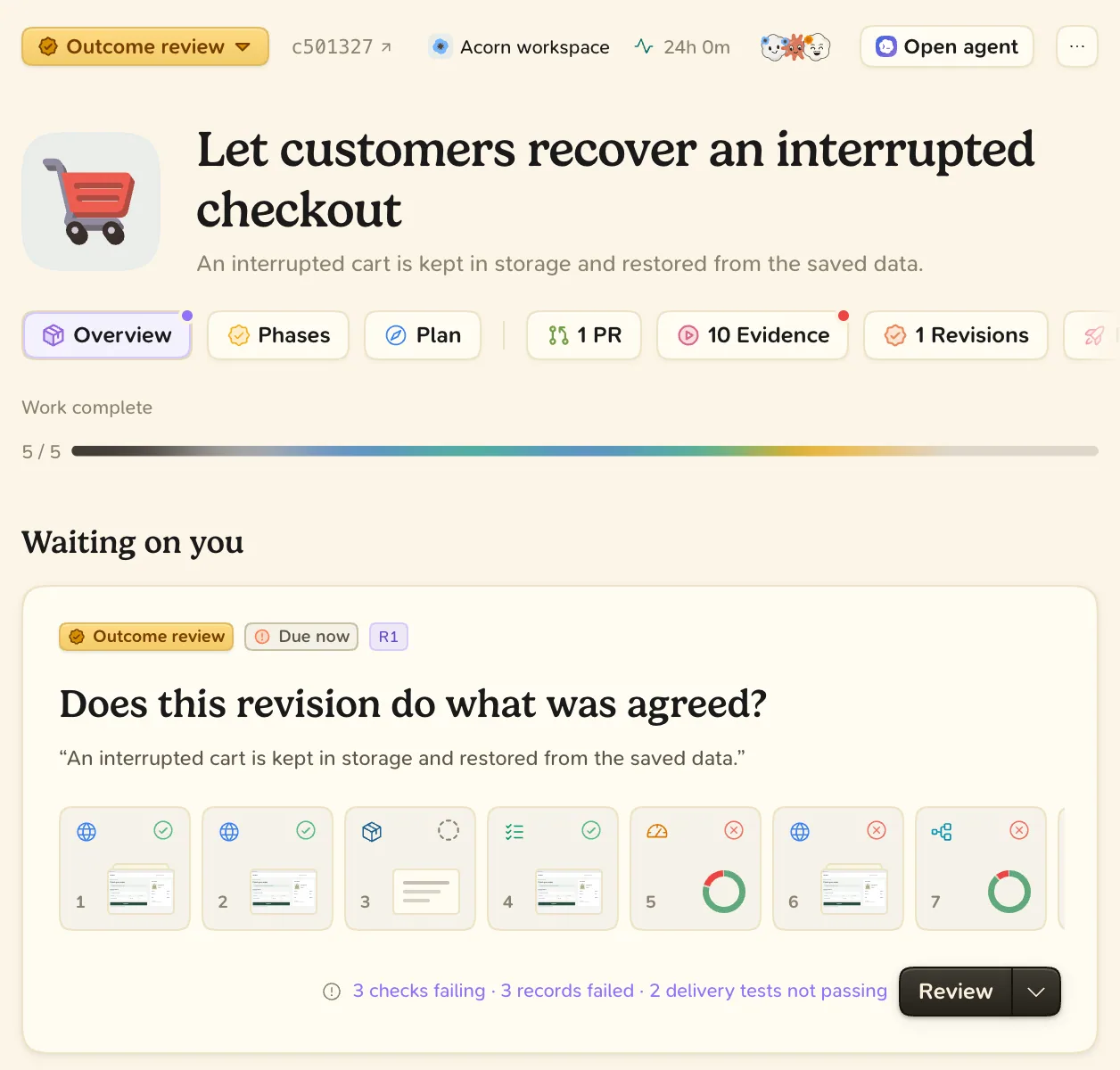
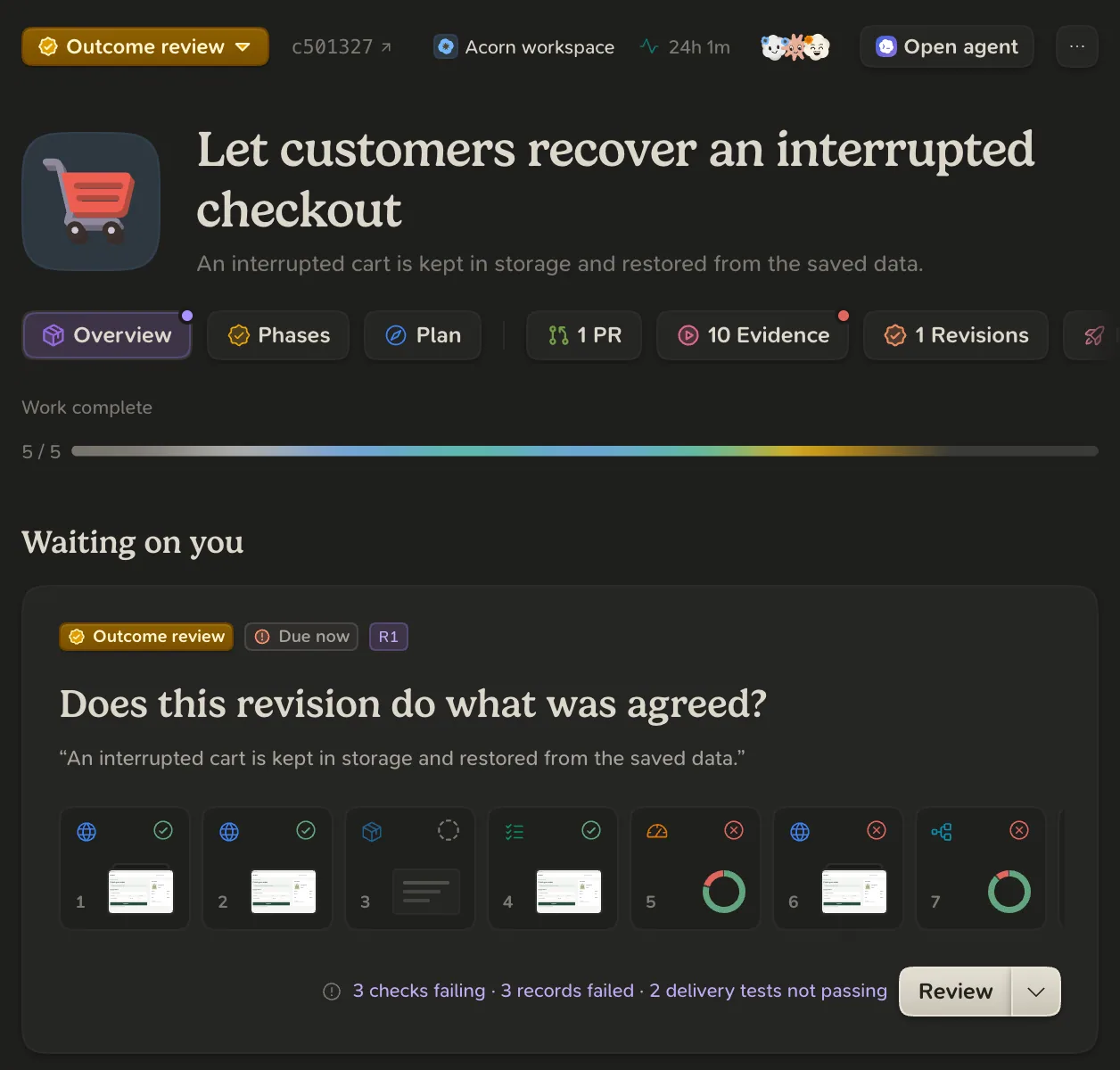
A failing check or a step taken without approval appears as a note, under Failing or Not approved. The phase is not held back. See Notes over blocks.
How a delivery ends
A delivery is Done when every application it changes is live and checked where its users are. One that ships no application is Done when its pull requests are merged.
- To put a delivery away, open the … menu in its header and choose Archive. Nothing is deleted.
- To correct a phase, click the phase badge and choose a phase under Move this delivery to.