
Questions and requests
How agents ask you for answers and approvals, where those requests wait, and how to answer them in the app or in chat.
A request is anything an agent asks of you while it works on a delivery. A question asks for an answer, information or a look at something. A review request asks for an approval. You meet them under Waiting on you on a delivery and across all your deliveries on the Deliveries page.
Two rules apply. Only a person decides. And your decision counts wherever you give it, in Blume or in the agent’s chat. See A person decides.
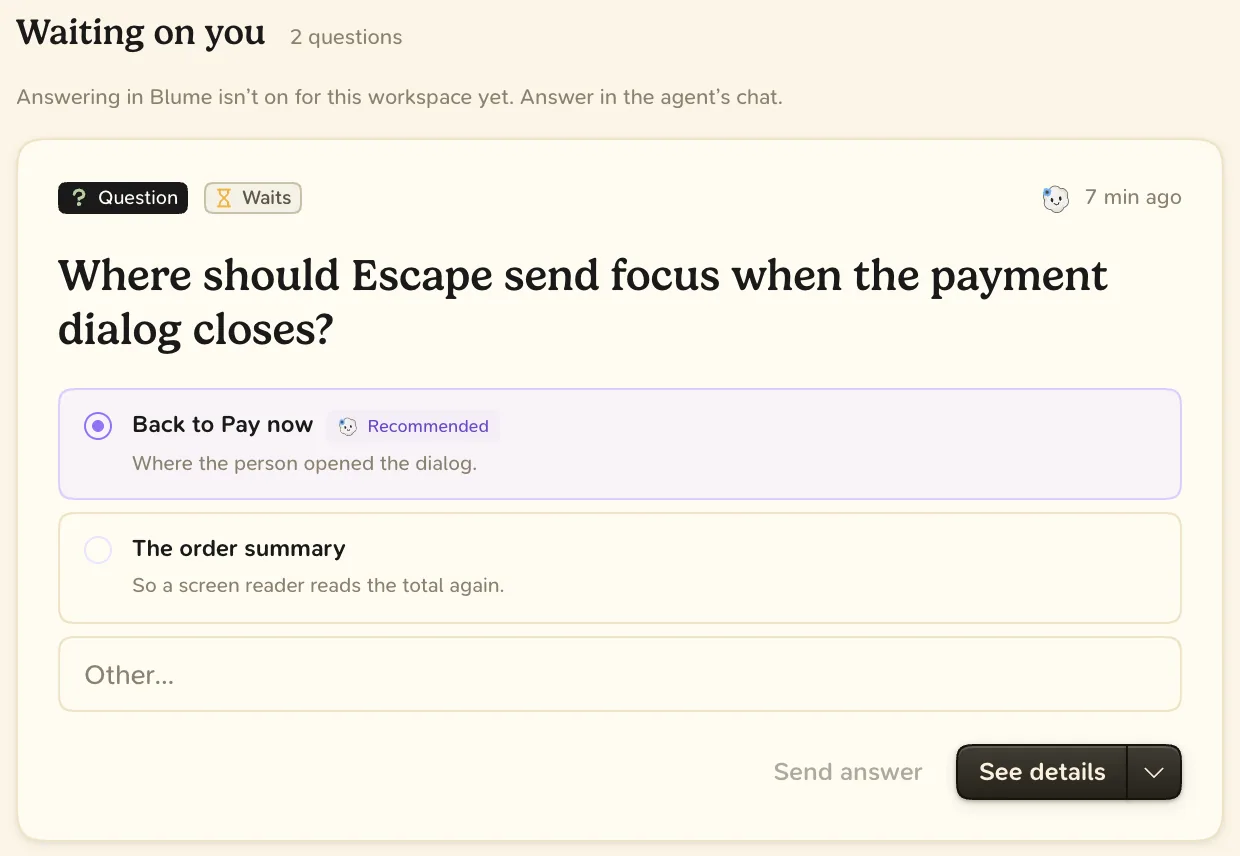
Where requests wait
- On the delivery. The Overview shows the review that is due under Waiting on you, and open questions under Also waiting on you.
- On the Deliveries page. These need your attention is a deck of every waiting review and question, newest first.
- On the Requests page. Choose Expand under the deck. Use ↑ ↓ to move and ↵ to open the chosen request.
Answer a question
- Read the context. The option the agent would pick is marked Recommended.
- Choose an option, or type an answer.
- Choose Send answer.
Many questions do not stop the agent. The card says “If unanswered:” followed by what the agent assumes. A later answer reaches the agent as a correction. A question the agent cannot go on without is marked Waits. To drop a question that is no longer needed, choose Dismiss from the card’s menu.
Answer a review request
- Choose Review to open the review and look at the evidence.
- Approve, or choose Request changes… and write what should change.
Read more: Reviews
Answer in chat
You can answer any request in the agent’s conversation. The agent records your answer with your exact words, and an approval counts at once. Blume shows it with your name and Via agent chat.
- It must be a decision. Praise, silence or the agent’s own recommendation is not an approval.
- It needs a request. The agent asks first, then records your answer.
- Scopes stay separate. Permission to merge is not permission to release.
- “Ship it” covers the reviews, not the checks. If a check fails, the agent reports that and does not merge.