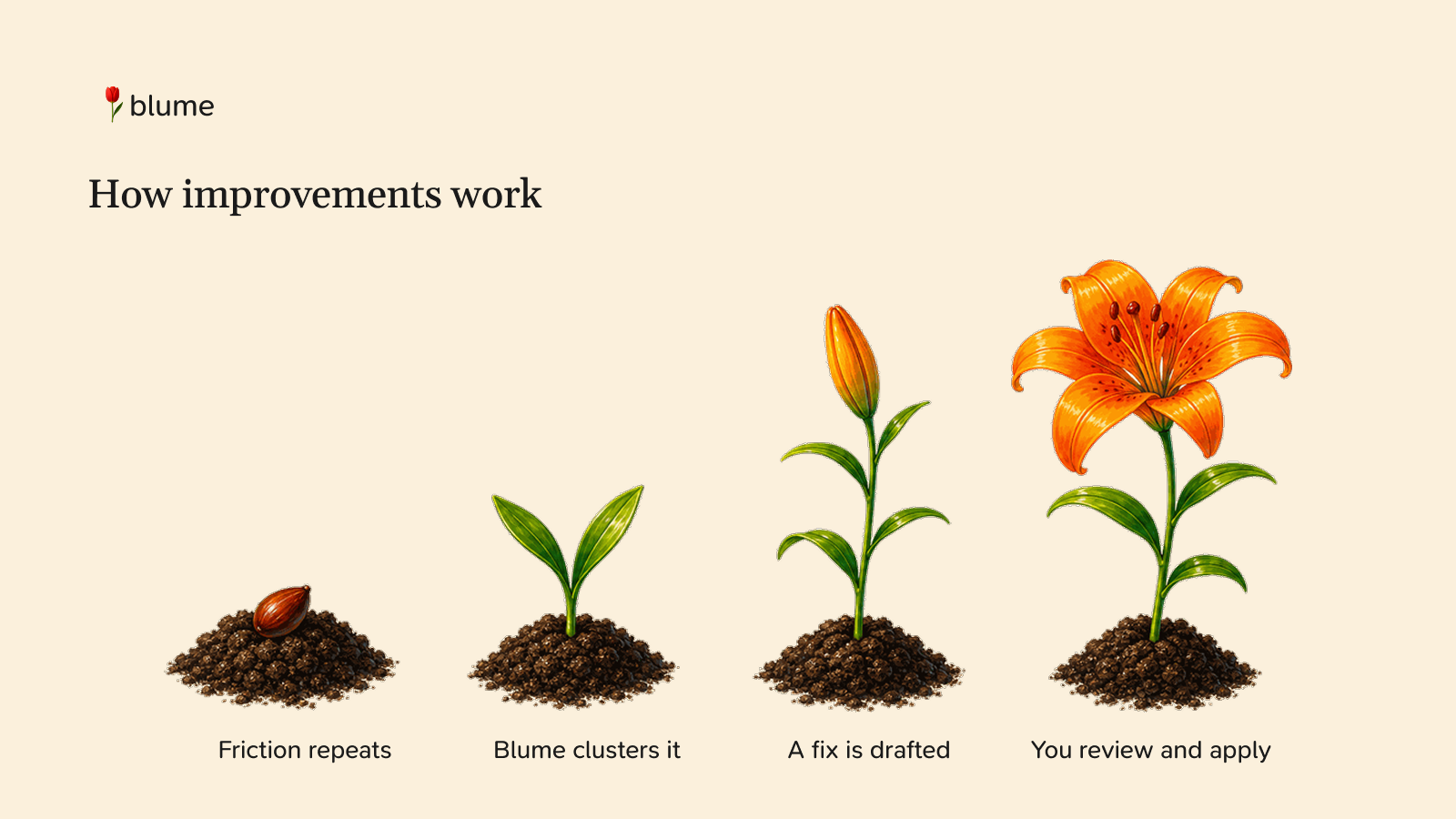
How Improvements Work
Blume watches your coding-agent conversations and quietly looks for friction —
the questions your agent kept misunderstanding, the rule you keep re-explaining,
the config that never quite matched your setup. When the same problem shows up
often enough, Blume drafts a concrete fix and shows it to you. You review the
diff and decide whether to apply it.
This article explains what the feature does, how to turn it on, and what happens
under the hood.
The idea
Friction is hard to act on in the moment. A single confusing exchange isn't
worth changing your setup over — but the third time the agent makes the same
wrong assumption, there's a real gap worth closing. The trouble is that you
rarely notice the pattern, because each instance is buried in a different chat.
Improvements close that loop:
- Watch your conversations for repeated signals of friction.
- Cluster similar signals across chats, so a one-off doesn't trigger noise.
- Propose a specific change — a new rule, hook, skill, or doc — once a
cluster is backed by enough evidence. - Review and apply on your terms, with a full diff and one-click undo.
Two things matter most: it only acts on repeated evidence, and it runs
entirely on your machine. The analysis goes through your own agent CLI
(Claude Code, Codex, or Cursor) using your existing plan's quota. Nothing about
your conversations is uploaded to Blume or any third party.
Turning it on
Improvements are off by default — it's opt-in. In the Improve row at the top
of the suggestions list, click Configure. You'll choose two things:
When to run
- Smart timing (recommended) — runs at the end of a session, in the last 15
minutes of your plan's quota window, but only while more than 25% of that
window's quota is still unused. In other words, it spends quota you were about
to lose anyway, and stays out of your way the rest of the time. - When chats go quiet — analyzes each conversation as soon as it goes idle.
This gives you the fastest feedback, at the cost of using quota throughout the
day.
Which plan to use
Pick the connected plan (Claude Code, Codex, Cursor) that should run the
analysis. The list is populated from your connected plans. If you don't choose,
Blume picks one for you.
Click Turn on, and the scheduler starts. From then on, the Improve row shows
On · runs locally.
Tuning what it does
Once enabled, Configure opens the full settings page. Everything here is
opt-out — sensible defaults are already selected, and you narrow things down.
Harnesses to improve. A checklist of your installed agent CLIs. Checked
harnesses get improved; uncheck one to skip it. New harnesses you install later
are improved by default.
Scopes — where changes are allowed to land:
- Project — files in the current repository (e.g.
.github/AGENTS.md). - Global — your machine-wide config (e.g.
~/.claude/settings.json).
Both are on by default.
Reviewing a suggestion
Each suggestion appears as a card in the list:
- A title describing the change (e.g. "Add Claude Code preference for JSON
responses"). - An evidence badge — "came up 3 times in your chats" — so you can see it's
grounded in a real pattern, not a guess. - One or more operation rows, each showing the action (
+create,~
update,−remove), the artifact type, a short summary, and where it lands
(project or global, which harness it applies to).
Click Preview to see the full picture: a unified diff per file, the absolute
path it touches, and the expected effect. From the preview you can:
- See evidence — the raw conversation excerpts that motivated the change.
- Snooze or Dismiss if it's not useful right now.
- Apply — write the changes to disk.
Applied, dismissed, and snoozed suggestions move to resolved, where applied
ones can be undone.
Safe by construction
Applying is all-or-nothing. Before writing anything, Blume verifies every
target: a create must not already exist, and an update or remove must match
the file exactly as it was when the suggestion was drafted. If anything has
changed underneath it, nothing is written and the suggestion is flagged for
review instead of silently clobbering your work.
Each applied change records what it replaced, so Undo can restore the
previous contents — again, only if the file still matches what Blume wrote.
What happens under the hood
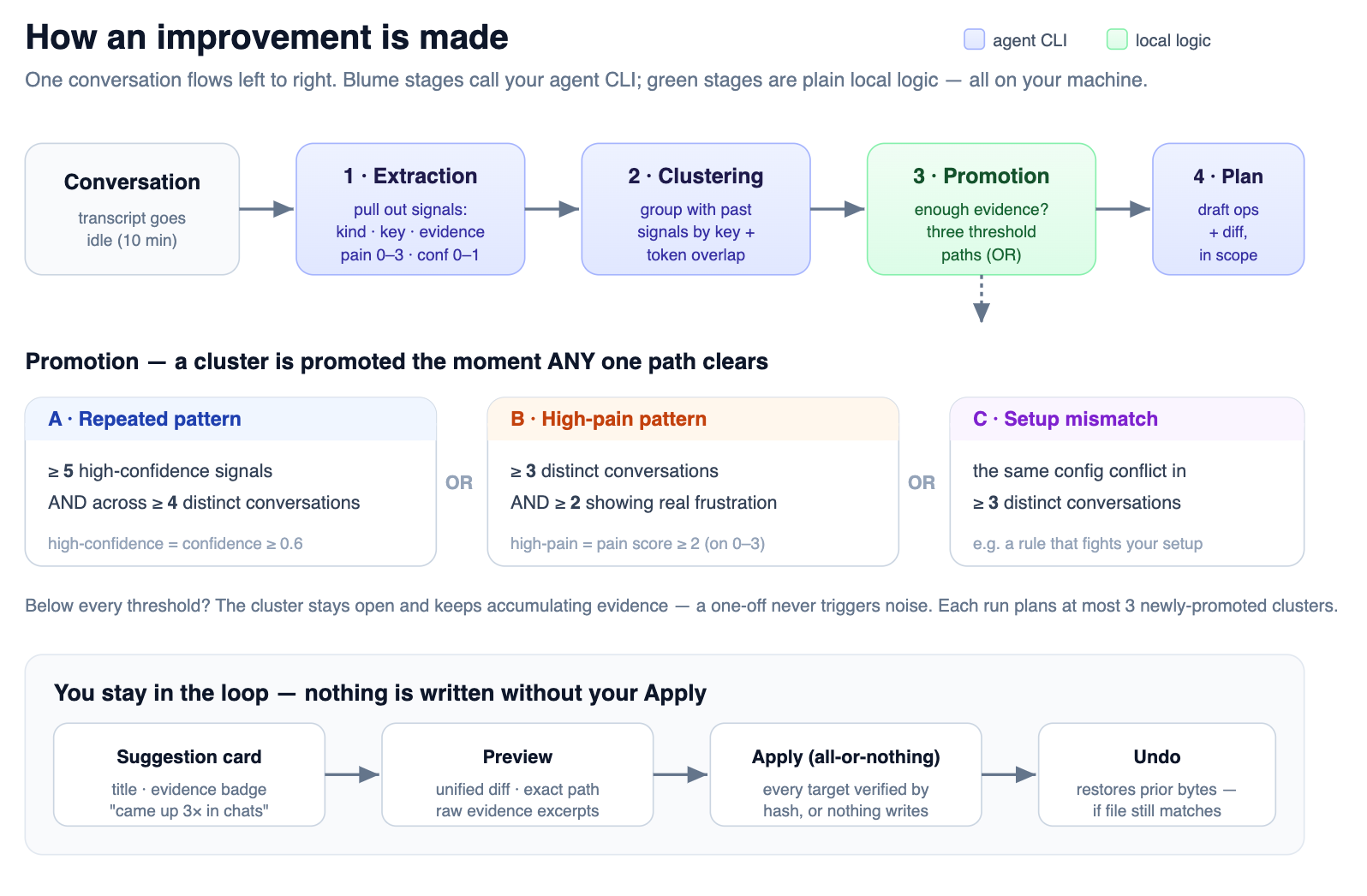
When a conversation is analyzed, it flows through a local pipeline. Each stage
that needs judgment calls your agent CLI; the rest is plain local logic.
Conversation
   │
   ├─ Extraction   agent reads the transcript, pulls out "signals"
   │               (friction points, with evidence and a pain score)
   │
   ├─ Clustering   agent groups new signals with similar ones from
   │               past conversations — or starts a new cluster
   │
   ├─ Promotion    local thresholds decide when a cluster has enough
   │               evidence (signals × conversations × pain) to act on
   │
   ├─ Planning     agent turns a promoted cluster into concrete
   │               operations (create/update/remove + file + diff),
   │               within your allowed scopes and artifact types
   │
   └─ Suggestion   stored locally, shown in the list for your review
The scheduler wakes once a minute. In quiet-chats mode it queues idle
conversations as they appear (a few per tick, so it never floods). In
smart-timing mode it holds the queue until your plan's session window enters
its use-it-or-lose-it window. A /blume command jumps straight to the front.
Because the planner only ever proposes diffs — and never writes without your
Apply — the model's judgment is bounded by a step you control. Your settings for
scopes, artifacts, and harnesses are passed into the planning stage, so a
suggestion can only target the places you've allowed.
In short
Improvements turn the friction scattered across your chats into a small, vetted
set of changes to your agent setup. It's local, opt-in, evidence-driven, and
reversible: it watches for repeated problems, drafts a fix, and waits for you to
say yes.